Local deployment
Start a local workspace with Docker Compose, MongoDB, HTTPS, and Mailpit for sign-in codes.
Open Source Community Edition
Self-hosted secure file sharing and AI-ready collaboration for professional teams. Run a lightweight version of Clear Ideas with Docker in minutes, inspect the source, and own the foundation of your collaboration layer.
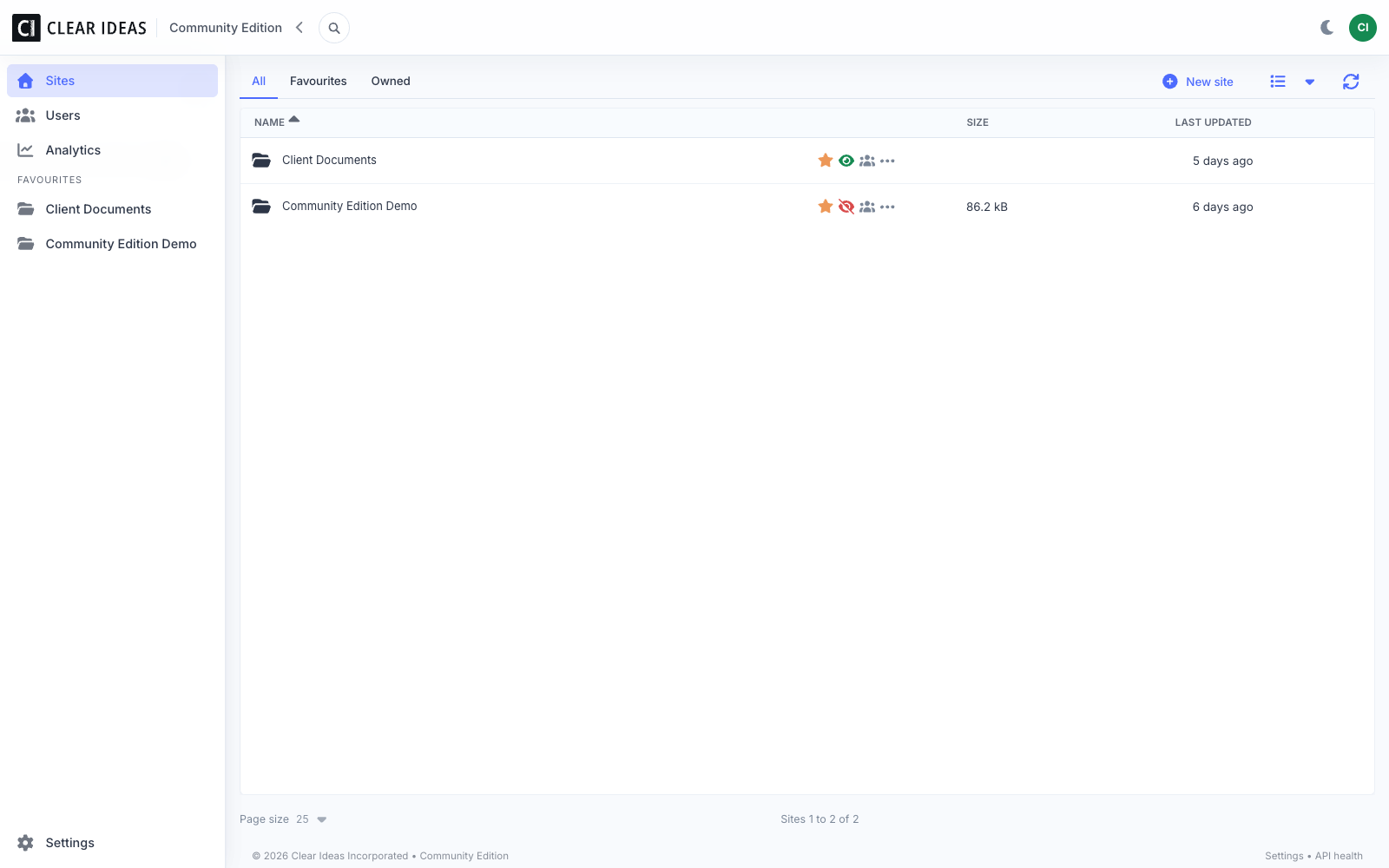
Start a local workspace with Docker Compose, MongoDB, HTTPS, and Mailpit for sign-in codes.
Create sites, invite users, upload files, preview documents, search content, and review activity.
Move to hosted Clear Ideas when you need the full managed product, support, and advanced workflows.
Quick Start
Community Edition gives technical teams a fast way to try the self-hosted core of Clear Ideas without setting up production infrastructure first.
Clone the repo and run the quick-start Compose stack with app, HTTPS, MongoDB, and Mailpit.
Use Mailpit to read the sign-in code, then create a site for internal or client-style document work.
Upload documents, preview files in the browser, search metadata, and review activity records.
Optionally configure your own AI provider key and MCP access keys for approved site content.
Run Locally
The quick-start stack includes HTTPS, the app, MongoDB, and Mailpit for local sign-in codes. Open https://localhost:4100 after startup.
git clone https://github.com/clearideas/clearideas-ce.git
cd clearideas-ce
docker compose -f docker-compose.yml -f docker-compose.quickstart.yml up -d --build
Community Edition and Hosted Clear Ideas
Feature Scope
Community Edition includes the self-hosted collaboration core. Hosted Clear Ideas adds the broader product surface for teams working with clients and sensitive documents in production.
| Capability | Community Edition | Hosted Clear Ideas |
|---|---|---|
| Deployment | Self-hosted Docker stack | Hosted Clear Ideas |
| Best for | Evaluation, self-hosting, internal teams | Professional teams working with clients |
| File sharing | Focused site-based workflows | Full team and client experience |
| External collaboration | Internal and evaluation-oriented | Client-ready collaboration features |
| Analytics | Simple activity reporting | Expanded analytics and business visibility |
| AI chat | Bring your own provider key | Managed capabilities by plan |
| Governed Agents | Not part of the CE scope | Repeatable Governed Agents |
| Document signing | Not part of the CE scope | Available in hosted editions |
| Admin controls | Basic roles and settings | Advanced governance, policy, and controls |
| Support | Community | Product support |
Product Screenshots
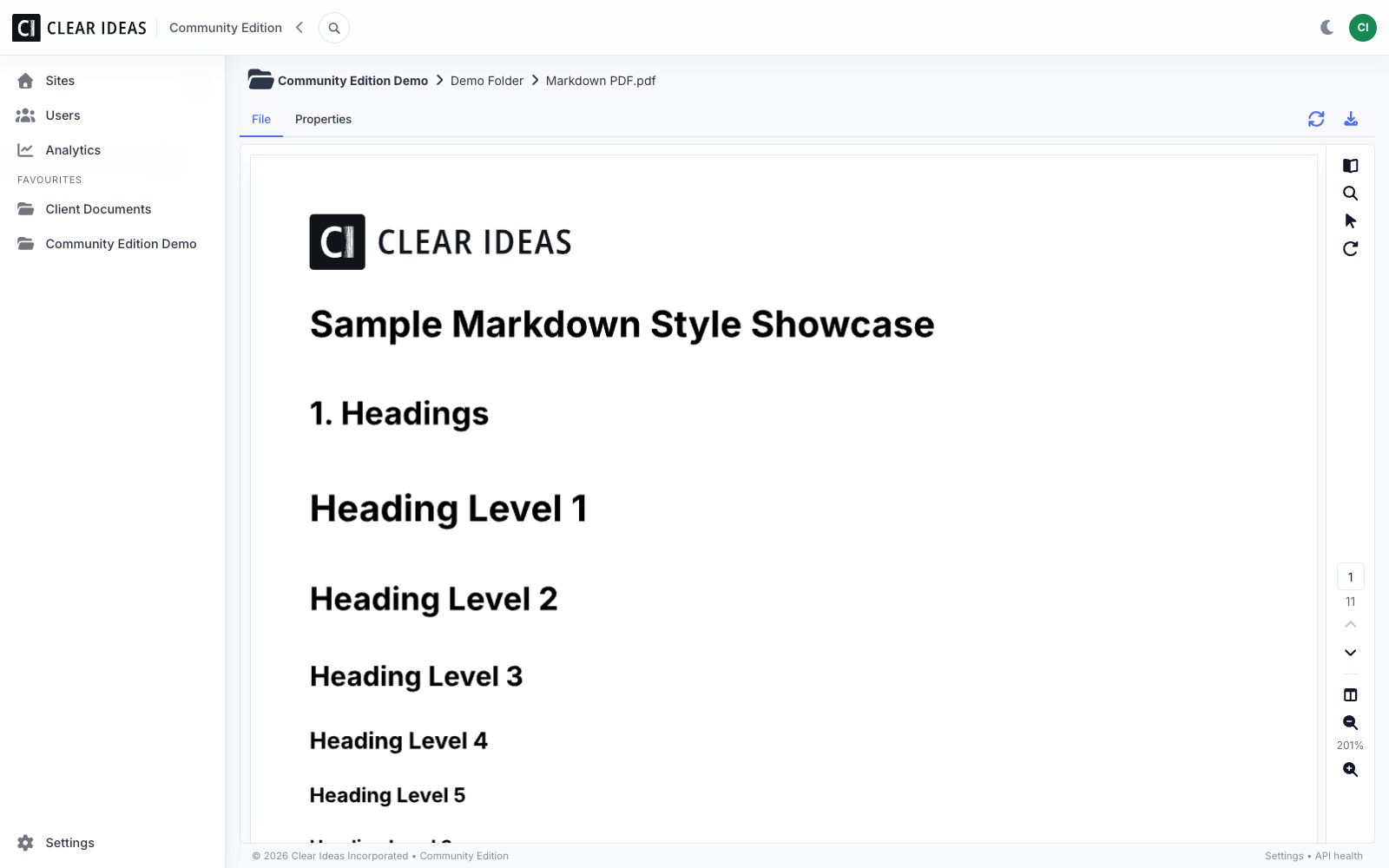
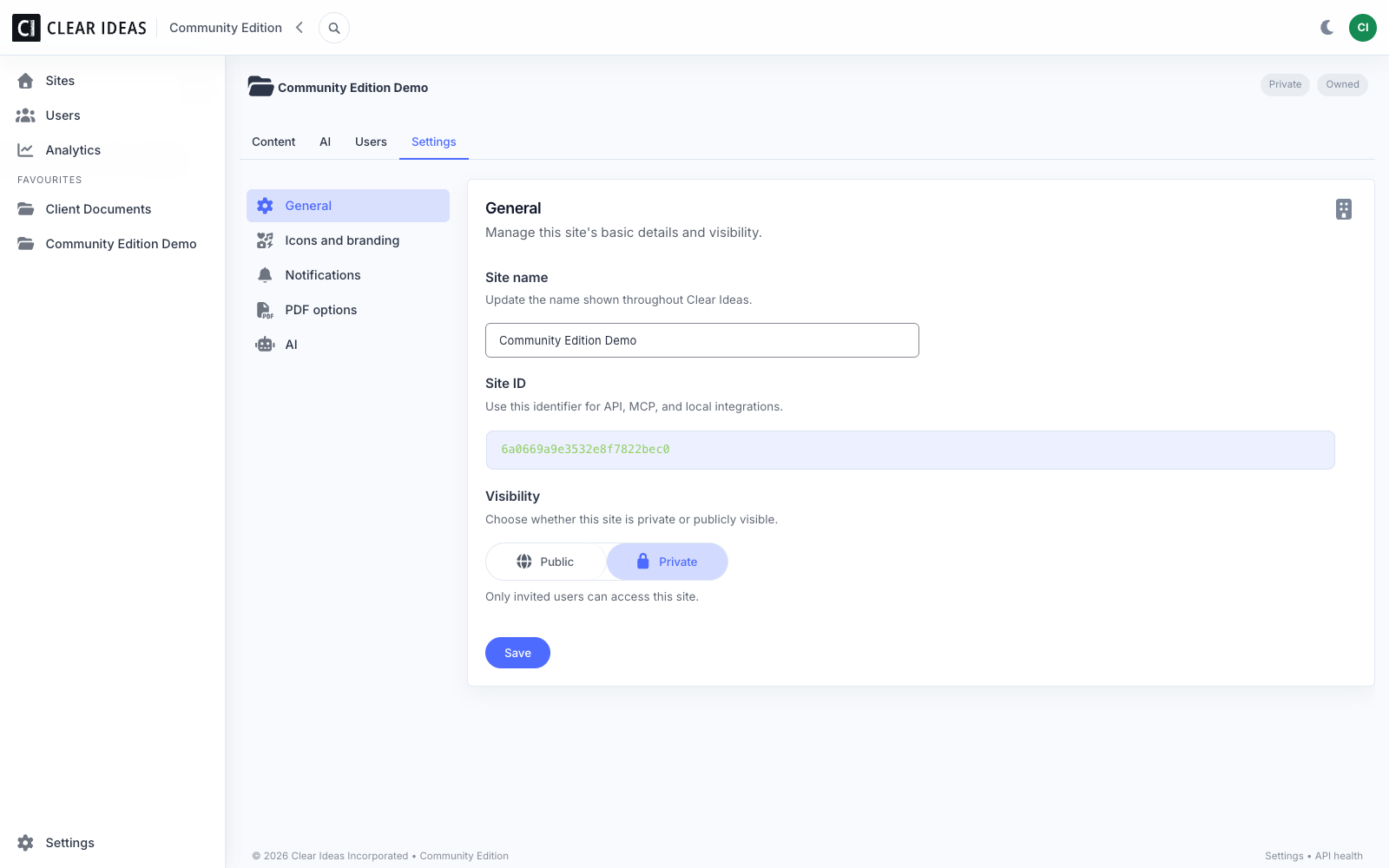
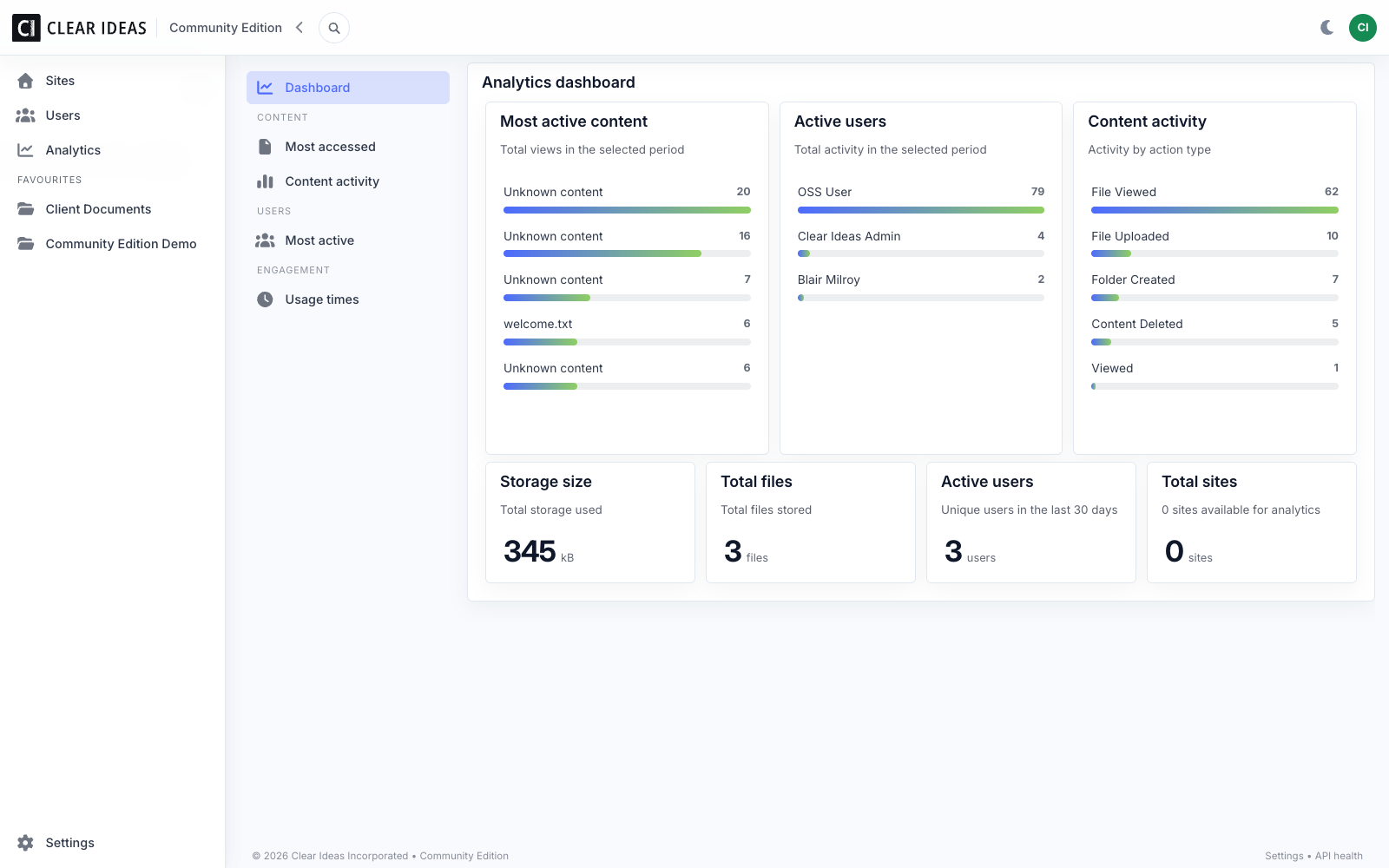
Community Resources
Start with the source, then use the README, issue tracker, and security policy for setup details and project information.
Clear Ideas Community Edition is the open-source, self-hosted foundation of Clear Ideas for secure file sharing and AI-ready collaboration. It is designed for teams that want to inspect the source, run the stack themselves, and understand the product architecture before choosing the managed platform.
No. Community Edition includes the focused self-hosted collaboration core. Hosted Clear Ideas is the complete managed product with richer collaboration, advanced governance, document signing, Governed Agents, business controls, support, and hosted operations.
You can self-host it, but you are responsible for production operations: infrastructure, secrets, email, storage, backups, monitoring, upgrades, incident response, and security review. For managed production use with support and advanced product capabilities, use hosted Clear Ideas.
Community Edition includes the essentials for a self-hosted workspace: passwordless email-code authentication, users and groups, site roles and invitations, folders and file uploads, browser previews, local search, activity logging, simple analytics, scheduled digest notifications, scoped MCP access keys, and optional site-scoped AI chat with your own provider keys.
Community Edition does not include the broader hosted product surface: managed hosting, commercial support, advanced organization policy controls, expanded analytics, advanced client collaboration workflows, enterprise identity features, document signing, hosted agent run automation, or production deployment services.
Clear Ideas Community Edition is released under AGPL-3.0. Review the repository license before using, modifying, or redistributing the software.
Yes for optional site-scoped AI chat in Community Edition. CE is designed to let you bring your own provider keys. Hosted Clear Ideas offers managed AI capabilities depending on plan and configuration.
Use the GitHub repository for the README, issues, security policy, and community project activity. Hosted Clear Ideas customers receive product support through the hosted product.