Sites
External Collaboration & Sharing with Sites
Governed workspaces for sensitive business content
Clear Ideas Sites bring approved files, collaborators, permissions, analytics, signing, Public Chat, Site AI, and evidence into one controlled workspace. Use them when sensitive content needs to be shared, reviewed, questioned, signed, analyzed, and proven.
Governed workspace
What a Site Brings Together
A Site gives people, documents, analytics, signing, and AI the same approved record. It is the governed context for sensitive collaboration with clients, auditors, boards, investors, lenders, and counterparties.
Teams can organize approved files, invite external stakeholders, protect documents, enable Site AI, route signature requests, and preserve evidence without splitting the engagement across drives, portals, email, and chat tools.
What teams govern
Content, Access, Protection, AI, Signing, and Evidence
Sites give sensitive external collaboration one place to manage the content boundary, the people who can enter it, and the evidence of what happened inside it.
- Approved Content BoundaryMark files as draft, approved, or superseded; exclude sensitive files from AI; restrict downloads; and keep the workspace centered on the version stakeholders and AI should actually use.
- External Access ControlInvite clients, auditors, board members, investors, lenders, and counterparties with role-based access, user groups, access expiry, watermarking, and disabled-state retention.
- Q&A, Notes, and AnnouncementsKeep stakeholder questions, reviewer answers, PDF anchors, AI answer suggestions, file notes, and Site announcements inside the governed workspace.
- Document ProtectionProtect PDFs with in-app viewing, dynamic watermarks, download controls, version history, archive/deleted restore, and redaction that works across viewing, downloads, search, and AI.
- Operational Site ControlsUse numbering, notifications, document status, version history, archived content, recently deleted restore, settings history, and read-only controls to keep the room orderly.
- Signing and CertificatesSend signature requests with fields, routing, signer authentication, disclosures, completed documents, certificates, and verification tied to the source document record.
- Site AIEnable AI Chat, AI summaries, AI Enhanced Search, and MCP access against the approved content inside a specific Site, with the same permission boundary as the documents.
- Evidence and ExportsExport site indexes, manual or scheduled Site snapshots, site settings history, governance evidence, activity reports, and analytics needed for review-heavy workflows.
Workspace evidence
Keep Sensitive Collaboration in One Place
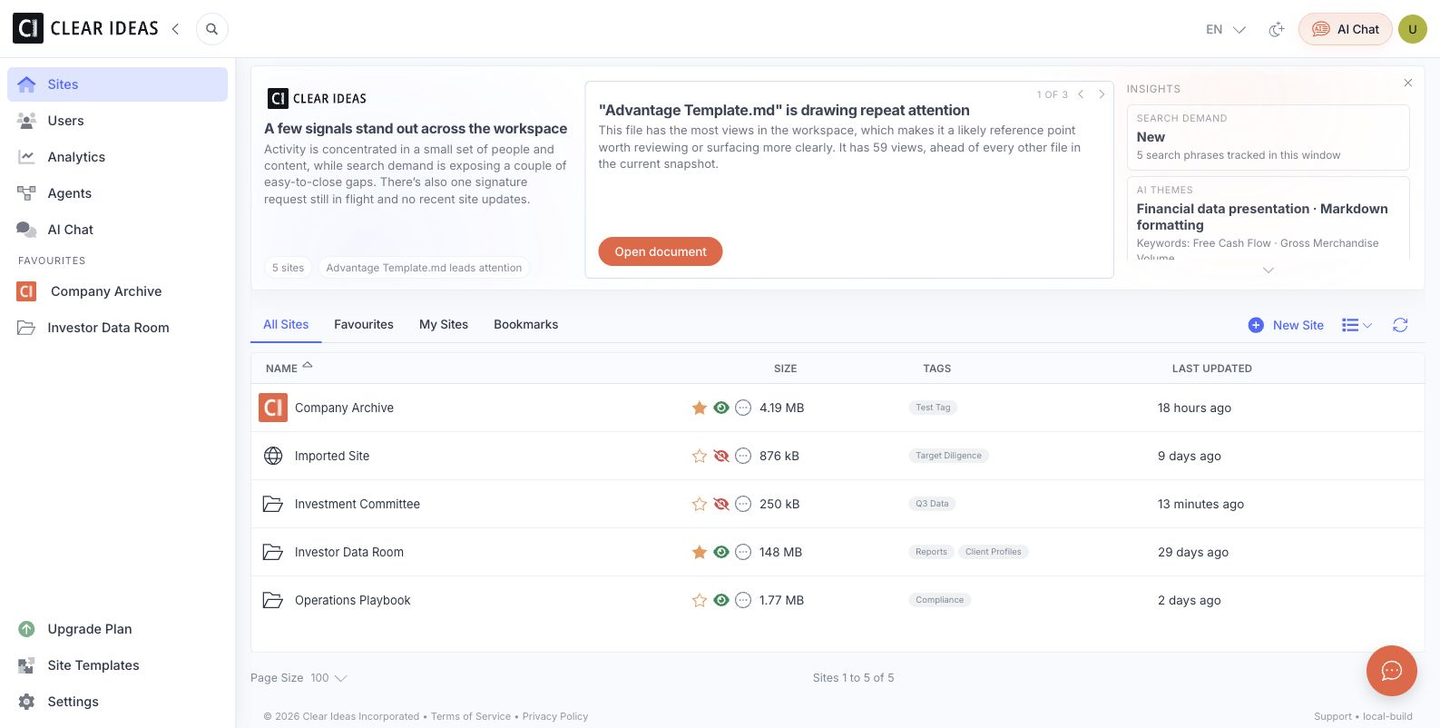
Files, people, permissions, AI, analytics, and evidence stay tied to the same workspace, so teams can move faster without scattering the record of what happened.
Review-heavy collaboration
Built for the Moments Where Sharing Is Only the Beginning
Sites fit engagements where sensitive content reaches the right people, then needs review, questions, signatures, analytics, AI, and evidence around it.
- Data Rooms and DiligenceRun M&A, fundraising, investment, real estate, and legal review rooms with controlled access, page analytics, Q&A, watermarks, and Site AI.
- Client and Board PortalsGive clients, boards, auditors, investors, and partners a branded place to review materials, ask questions, sign documents, and engage with approved content.
- Public Knowledge ExperiencesUse Public Chat and scheduled web imports to turn approved Site content into a controlled website assistant with lead capture, voice options, and brand rules.
From Shared Files to Managed Review
A Site gives teams a cleaner way to prepare sensitive material, manage who can review it, and preserve useful records after the engagement is complete.
Related reading
Move From File Sharing to Governed Sites
Practical guides for teams moving from file sharing to governed Sites.
- Secure Document Sharing Checklist for External StakeholdersA practical checklist for permissions, watermarks, expiry, and review control.
- File Storage and the System-of-Record GapWhy approved content and governed records matter when documents power decisions and AI.
- Understanding Page-Level Analytics in VDRsHow page-level analytics reveal whether stakeholders reviewed what matters.
- Q&A and Notes for Site ReviewsHow private questions, PDF anchors, reviewer workflow, notes, and announcements support governed review.
- Redaction and Watermarking for Sensitive PDFsHow watermarks, redaction, preview, OCR matching, and role-aware delivery support controlled disclosure.
Frequently Asked Questions
What is a Clear Ideas Site?
A Site is a secure workspace for a specific engagement, client, board, audit, deal, project, or knowledge base. It brings files, users, permissions, Q&A, signing, analytics, AI, and evidence into one place so teams can manage sensitive work without spreading it across drives, portals, email, and chat tools.
How are Sites different from file folders or shared drives?
Shared drives are good for general storage. Sites are built for controlled review. They support approved document status, role-based access, external users, access expiry, watermarking, redaction, page-level analytics, signing, Site AI, Public Chat, and evidence exports. That matters when a client, auditor, investor, board member, or counterparty needs access to sensitive material.
Can external stakeholders use AI inside a Site?
Yes, when AI is enabled for the Site and the user has permission. Site AI follows document access rules, so a person can search, summarize, or ask questions only across content they are allowed to view. This lets teams offer useful AI assistance without opening up the full workspace or unrelated company data.
Can Sites manage review questions and notes?
Yes. Sites support private stakeholder Q&A, reviewer answers, PDF anchors, AI answer suggestions, notes, and announcements. This keeps review communication attached to the Site record instead of scattering questions across email threads.
Can a Site power a public chat widget?
Yes. Public Chat can use approved Site content to answer website visitor questions. Teams can configure allowed website origins, brand voice, priority pages, disallowed topics, lead capture, meeting links, voice options, quick links, and notification recipients. It is useful for documentation, product information, member support, and other controlled public knowledge experiences.
What evidence can a Site preserve?
Sites can preserve document activity, user access, page-level engagement, search and AI activity, signing certificates, settings history, export jobs, governance evidence, and policy context where applicable. This gives teams a record they can use for internal review, audit preparation, client reporting, diligence follow-up, or compliance questions.
When should a team create a new Site?
Create a Site when the audience, permissions, purpose, or evidence needs are distinct. For example, a board portal, acquisition data room, audit request list, investor update room, client portal, and public knowledge base should usually be separate Sites because each has different users, documents, access rules, and activity records.