Agents
Agent Connections
Approved tools and sources for governed agent runs
Agent Connections define which Sites, external systems, tools, and destinations an agent can use. They turn integration access into an explicit part of the run contract.
Connector policy
Connectors Are the Agent Boundary
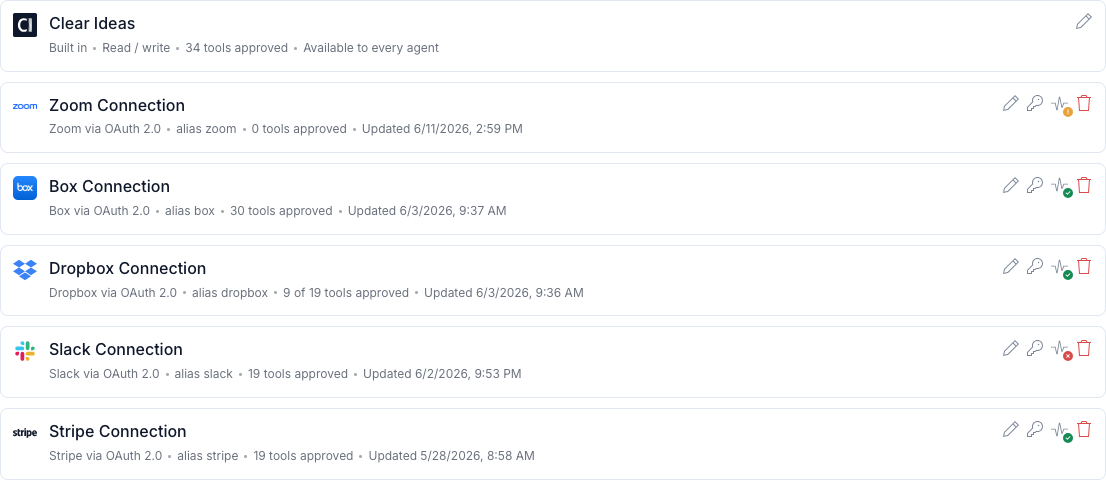
Agent Connections define what an agent can reach during a run. They turn source access, external tools, authentication, read/write mode, and outbound destinations into an explicit part of the run contract.
That boundary matters because agents should not inherit broad workspace access by default. Clear Ideas lets teams approve the Sites, systems, tools, aliases, and source instructions a process needs before the run begins.
Connector usage remains reviewable. Source references, tool calls, runner events, generated files, and evidence stay attached to the run so teams can inspect what the agent used and why.
What connectors control
Access, Tools, Egress, Authentication, and Evidence
Connectors make external access intentional, inspectable, and scoped to the agent process.
- Saved Source ConnectionsManage Clear Ideas Site access and custom MCP server connections centrally, then reuse them in the agents that need them.
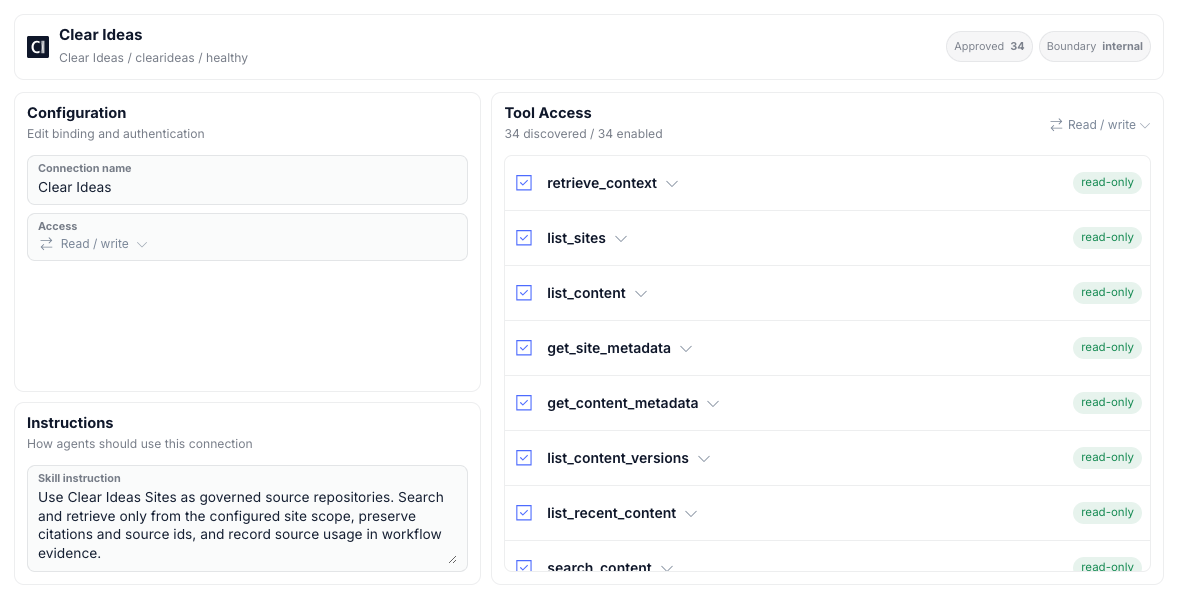
- Read and Write ModesSeparate read-only context access from write-capable tools, so an agent can retrieve information without automatically receiving mutation rights.
- Tool AllowlistsExpose only the connector tools a process needs. Keep write-capable actions off the run contract until the agent and review path call for them.
- Authentication and HealthUse OAuth PKCE, bearer tokens, or no-auth connections where appropriate, then test, reconnect, or revoke access as the source changes.
- Egress ControlsAgent runs do not receive general outbound access by default. External destinations are granted through configured connectors, approved model endpoints, Clear Ideas services, and enabled web tools.
- Evidence SettingsKeep connector usage, source references, tool calls, run events, and generated files attached to the run record for later review.
- Per-Agent Source PolicyInside each agent, choose source instructions, selected Sites, required connections, allowed tools, and whether connector evidence should be captured for that source.
Related reading
Where Connections Fit in the Agent System
Follow the broader governed agent model and the governance controls around evidence.
- AgentsGoverned agent runs with approved sources, triggers, review gates, generated files, and evidence.
- Governance & EvidenceOrganization policy, governed records, evidence export, verification, and lifecycle controls.
Frequently Asked Questions
What is an Agent Connection?
An Agent Connection is an approved source or tool connection an agent can use during a run. It defines what the agent can reach, whether it can read or write, which tools are allowed, how authentication works, and what evidence should be retained.
Do connectors give agents open internet access?
No. Agents do not receive general outbound access by default. External access is granted through the run contract, configured connectors, approved model endpoints, Clear Ideas services, and any explicitly enabled web tools.
Can connectors be read-only?
Yes. Connections can be configured for read-only use where the agent needs context but should not write back to the source. Write-capable access should be reserved for processes with appropriate review and ownership.
How do reviewers know which connector tools were used?
Connector activity is tied to the run record through source usage, tool calls, runner events, generated files, and evidence export so reviewers can inspect what happened.