


Organization Policy & Evidence

Govern AI without slowing down the work.

Clear Ideas gives administrators real controls for models, tools, skills, retention, and evidence review, so teams can use leading AI systems without losing policy, provenance, or reviewability.

  • Approve model families, aliases, skills, tools, MCP, and web search.
  • Retain governed chats, workflow jobs, policy versions, hashes, and timestamps.
  • Export verifiable evidence when leadership asks what happened.

Start with a guided Clear Ideas site. No credit card required, and you can inspect the governance controls before inviting a team.

Try Governance Controls
Create a Clear Ideas site, inspect the policy controls, and decide what to enable before inviting a team.
Start Free
No credit card required

Use leading AI models: govern them with Clear Ideas policy

The governance gap

AI policy breaks when it lives outside the work.

Teams adopt AI faster than review processes can keep up. Clear Ideas puts policy inside the same site where people chat with approved documents, run workflows, connect tools, and create evidence.

Approve Models
Use leading model providers while keeping model access explicit and reviewable.
Bound Tools
Choose all tools, read-only tools, or a custom governed tool set.
Retain Activity
Preserve chats, workflow jobs, policy versions, timestamps, and hashes.
Verify Evidence
Export evidence bundles and verify them locally when AI work needs review.

Models, Tools, Policy, and Evidence

Show the controls your next AI approval meeting will ask about.

Model policy, tool boundaries, policy history, governance activity, and evidence verification stay visible in the administrator experience.

Model and feature policy

Approve the AI capabilities people can use before they need them.

Govern model families, aliases, web search, summaries, enhanced search, MCP access, and billing-sensitive AI features separately, without turning governance into a blanket “no.”
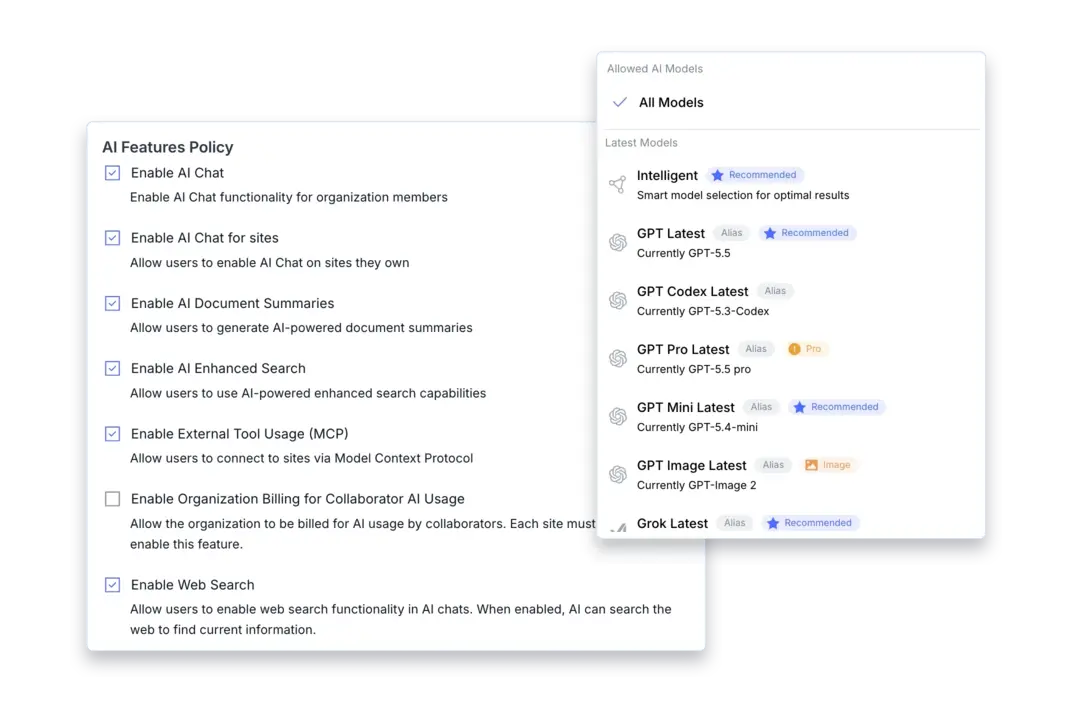
Clear Ideas AI governance montage showing model access and AI feature policy controls

Model access details

Choose the model families and aliases the organization can use.

MCP control

Enable governed external tool usage separately.

Tool boundaries

Give teams useful tools before granting full automation.

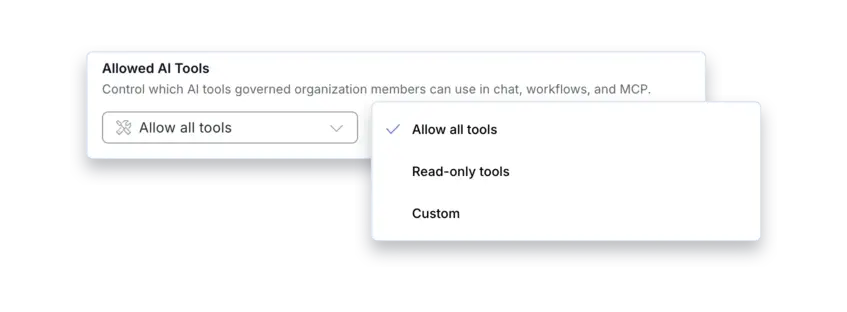
Tool access can be all tools, read-only tools, or a custom governed tool set without changing model, skill, or chat policy. That lets security reduce risk without blocking every productive workflow.

Clear Ideas AI governance montage showing allowed AI tool controls

Tool access mode

Choose all tools, read-only tools, or a custom set.

Separate policy

Tool access is governed separately from models and skills.

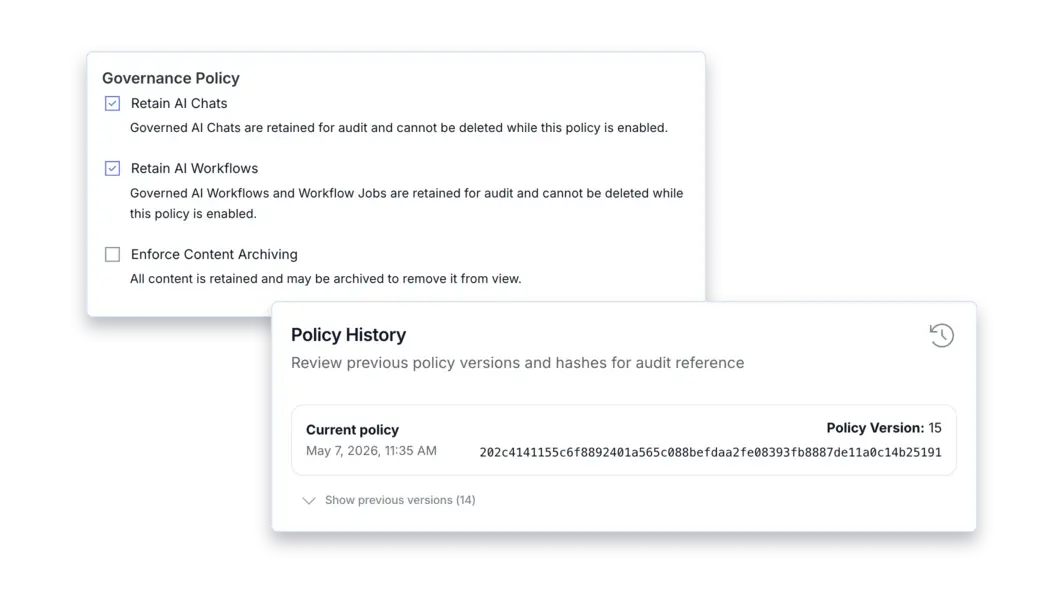
Policy history

Show which policy version governed the work.

Policy versions, timestamps, and hashes make governance changes reviewable, so policy does not depend on memory, screenshots, or informal approvals.

Clear Ideas governance policy and policy history montage

Policy versioning

Show the current policy version, timestamp, and hash.

Retention options

Retain governed AI chats and workflows for audit.

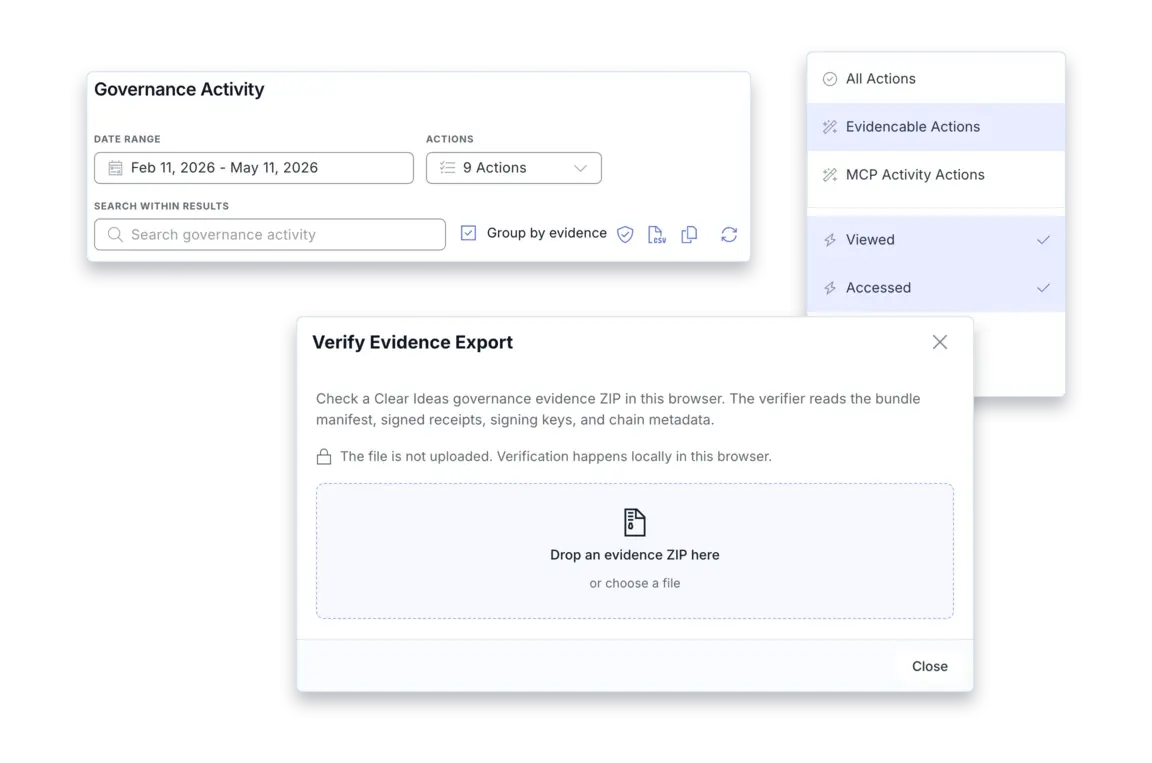
Evidence verification

Export evidence and verify it locally.

Filter governance activity for evidencable actions, export a report, and verify the bundle against its manifest and receipts without uploading sensitive evidence somewhere else.

Clear Ideas governance activity and evidence verification montage

Local verification

Verify evidence reports against the manifest and receipts.

Evidencable activity

Filter activity to the actions that can be exported for review.

Who it helps

Useful for the moments that make AI governance real.

Leaders get approval clarity, compliance gets evidence, and security teams get practical controls that stay connected to the AI work itself.

Executive AI Rollout
Answer which AI capabilities are approved, how policy is enforced, and what proof exists when adoption expands.
Legal and Compliance Review
Keep policy versions, hashes, evidence exports, and local verification available before questions become urgent.
IT and Security Governance
Give teams approved models, skills, and tools without letting AI access sprawl into unmanaged systems.

Governance workflow

From policy decision to evidence trail.

Set The AI Policy
Choose enabled features, retention, strict enforcement, and policy instructions.
Approve Access
Define model, skill, and tool access separately instead of using all-or-nothing controls.
Review Evidence
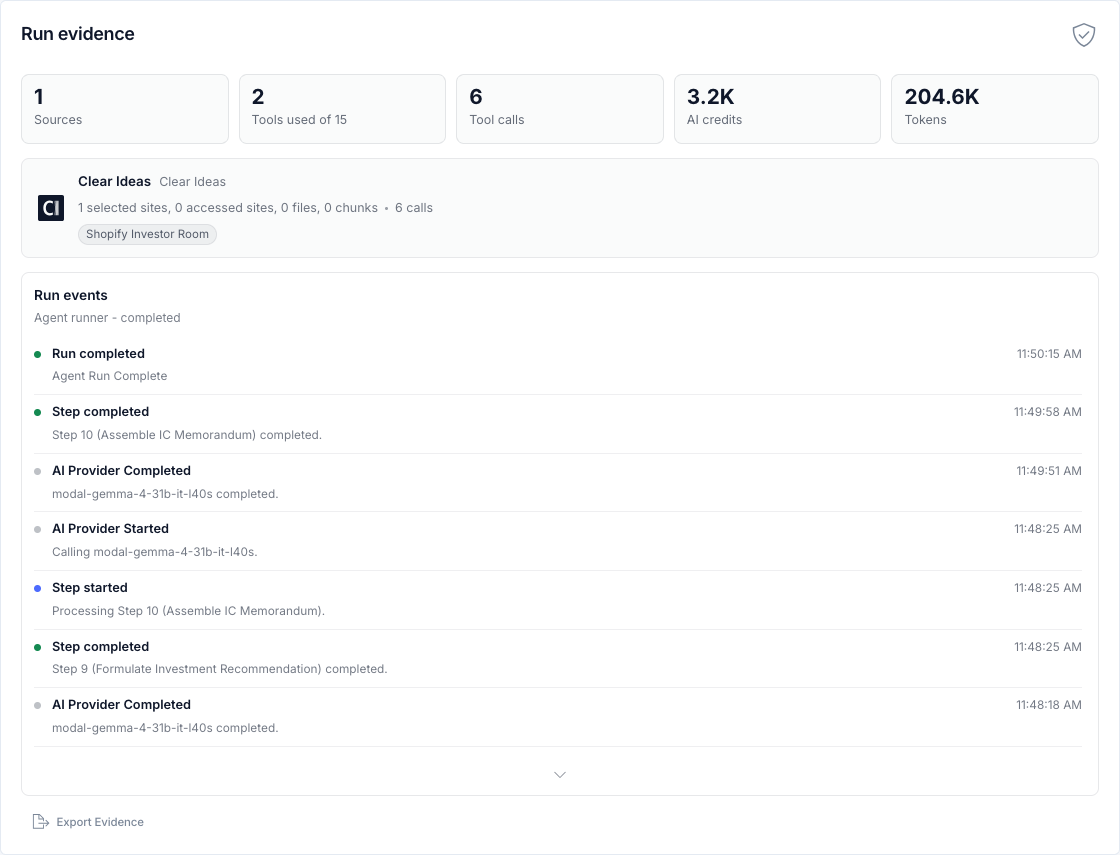
Use activity records, exports, receipts, and verification when AI work needs proof.

Start with the controls leadership will ask about later.

Clear Ideas gives teams approved ways to use leading AI models while keeping policy, retention, tool access, and evidence review in one governed site. You can start by reviewing the controls yourself, then invite the right people when the policy is ready.

AI governance questions.

Can we approve some AI tools without allowing everything?

Yes. Tool access can be governed separately from model access, skills, chat, workflows, and MCP. Administrators can allow all tools, read-only tools, or a custom governed tool set.

Can we control which models people use?

Yes. Clear Ideas supports model policy controls for model families and aliases, including recommended model paths. Teams can use approved models while administrators keep the model strategy explicit.

What evidence can reviewers see?

Governance Activity captures reviewable records for governed AI work. Evidencable actions can be filtered, exported, and verified locally against receipts and manifests.

Does governance block useful AI work?

The goal is the opposite. Clear Ideas gives teams approved ways to use AI while giving administrators policy controls, retention, strict enforcement, and review workflows.

Ready to get started?
Share sensitive information securely with clients, auditors, and partners. Then turn approved content into cited answers, repeatable workflows, and measurable engagement.
Start Free
No credit card required
Book a Demo
Need help?
Get personalized assistance
Speak with our sales team to find the perfect plan for your organization.
Technical support & resources
Access our comprehensive support center, documentation, and help guides.