Steps, variables, triggers, schema
Agent Definition
The saved agent defines prompts, schedules, trigger rules, approved sources, tools, model choices, outputs, review gates, validation state, and schema-compatible JSON.
Agents
Repeatable AI work with approved sources, review, and evidence
Design agents in Clear Ideas, Claude Code, Codex, or other compatible tools. Run them in Clear Ideas with governed Sites, approved connections, metadata extraction, triggers, review gates, generated files, and signed evidence.
Governed agents
Clear Ideas Agents are saved processes for recurring AI tasks. They define the steps, variables, source scope, model choices, tool access, generated outputs, schedules, triggers, metadata extraction behavior, and review points that belong to each run.
The important difference is governance. Agents work from approved Site content and scoped connections, not broad file access or improvised tool use. The run record keeps source usage, tool calls, generated files, runner events, token usage, and evidence with the exact run that produced the result.
That makes agents useful for document review, diligence summaries, board reporting, compliance checks, metadata extraction, stakeholder updates, and generated deliverables where a team needs repeatability without losing oversight.
Agent surfaces
Start with the authoring path that fits the task, then govern the sources and tools the agent can use.
Sandboxed execution flow
Clear Ideas separates the durable agent definition from the individual run. Each run receives a scoped contract, executes inside the sandbox, and returns reviewable evidence.
The saved agent defines prompts, schedules, trigger rules, approved sources, tools, model choices, outputs, review gates, validation state, and schema-compatible JSON.
Each run receives only the Sites, files, credentials, connector tools, model routes, and egress permissions it is allowed to use.
The runner executes steps with scoped credentials, durable state, callbacks, and controlled access instead of broad outbound freedom.
Human approvals, warnings, generated files, tool calls, events, source usage, tokens, and evidence remain attached to the run.
What belongs to the agent
A useful agent packages the operating rules around the prompt so recurring runs can be inspected, reviewed, and improved.
Visual definition
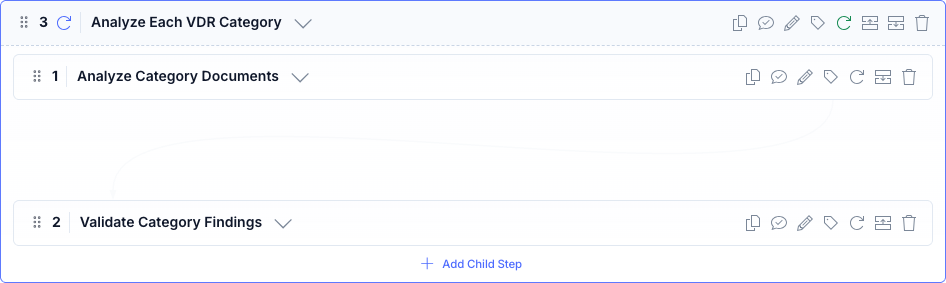
Visual design matters because sensitive AI tasks need clear steps, approved sources, generated outputs, and review points teams can inspect.

Visual builder
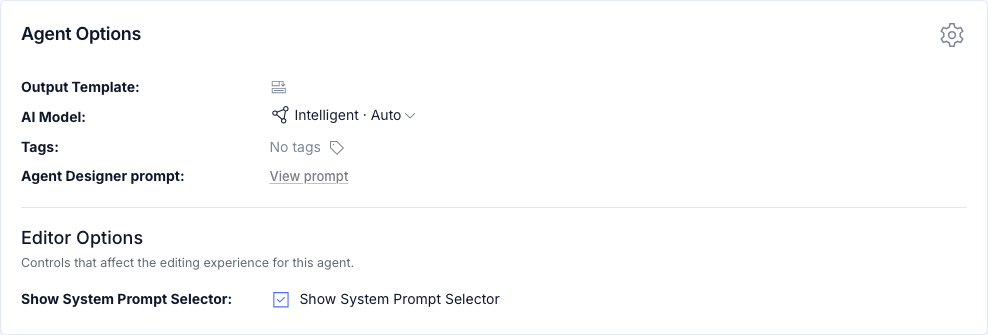
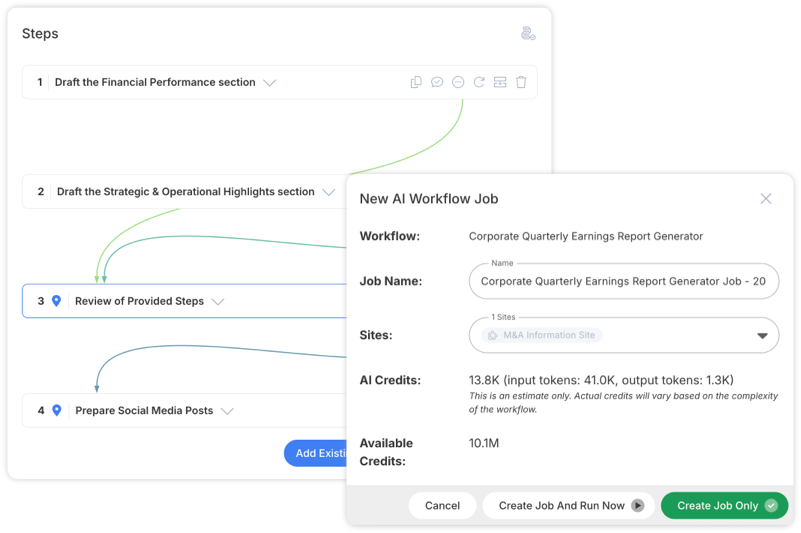
The editor gives reviewers a concrete view of the process: steps, branches, Site scope, output templates, and the structure that will later produce run evidence.
Recurring work
Agents can start manually, on a schedule, from an upload-triggered extraction rule, from a Site or folder metadata rule, from an incoming webhook, or as a sub-agent called by another process. Routine work can move forward automatically while sensitive moments still pause for human input, approval, or correction.
Each run can chain prompts, goal-driven loops, webhooks, code steps, structured outputs, generated file steps, and approved Site content. Loops can keep every iteration or return the final value when the goal is met. The output is not disconnected from the process: Clear Ideas keeps the sources, tool use, generated files, review points, events, and evidence together.
Related reading
Evidence and operating guidance for governed agents.
A Clear Ideas Agent is a saved process for recurring AI work. You can define the steps, inputs, approved Sites, connections, output formats, review points, and triggers once, then run the agent whenever the same work comes up again. Common examples include document review, diligence summaries, board reporting, compliance checks, extraction, and file generation.
Clear Ideas Agents are built for reviewable execution: which files were allowed, which tools were available, which steps ran, where a human needed to review, what files were generated, and what evidence remains for audit or client review. That makes Agents better suited for sensitive business processes than one-off prompting.
Yes. Agents can use approved connections, including Clear Ideas Sites and supported MCP providers. Administrators can control read/write mode, allowed tools, aliases, required connections, authentication, source instructions, egress, and evidence settings so external access is deliberate instead of improvised.
Yes. Agent work runs through sandboxed execution with a scoped run contract. Agents do not receive general outbound access by default; destinations are granted through approved connectors, model endpoints, Clear Ideas services, and explicitly enabled web tools.
Yes. Agents can be started manually, scheduled, triggered by webhooks, triggered when files are uploaded, or called by another agent. You can still add human approval steps for high-risk moments, so automation can move routine work forward while keeping sensitive decisions under review.
Yes. Site metadata extraction rules can run approved agents against a whole Site or a specific folder. The rule controls whether extracted attributes replace or merge with existing metadata, and the run record keeps status and evidence attached to the work.
Agents can produce final responses, structured JSON, extracted values, intermediate step outputs, images, spreadsheets, documents, presentations, and generated files that stay connected to the run that created them. That is useful when the deliverable needs to be reviewed, reused, downloaded, or included in an evidence export.
Reviewers can inspect the run record, including steps, source usage, tool calls, generated files, runner events, token and credit usage, attention states, and evidence exports. Teams can review the path the agent took before they reuse, share, or approve the output.